Curator
The Curator page is where you talk to the resident curator and, over time, teach it to file and tidy your memories the way you want. It is a conversation workspace, not a settings form — you discuss the collection, and the curator can propose changes that only take effect when you confirm them.
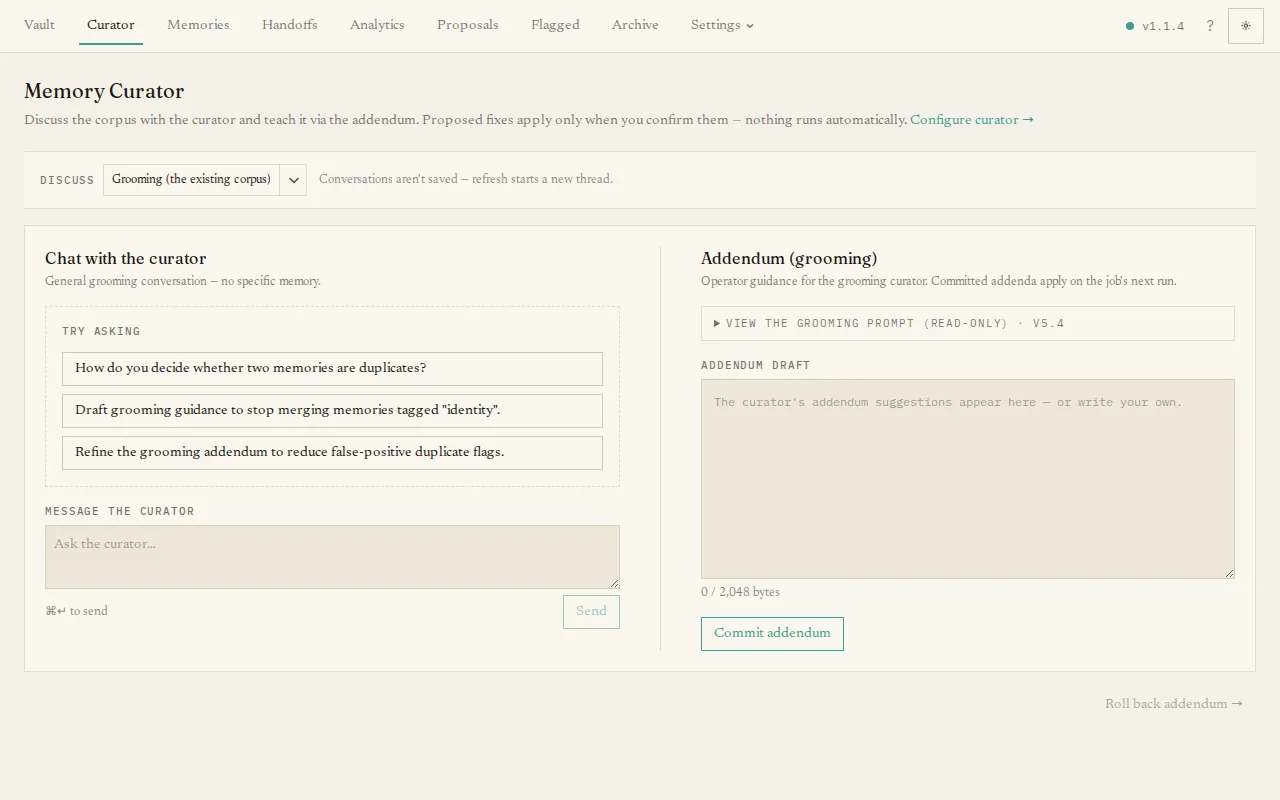
What you’ll see
Section titled “What you’ll see”- A job picker at the top to choose which of the curator’s two conversational jobs you are working on — Intake (filing new submissions) or Grooming (tidying the existing collection).
- A chat panel where you type a message and read the curator’s reply.
- An addendum panel showing that job’s guidance — extra, plain-English instructions appended to the curator’s standing prompt — as an editable draft.
The curator can search your collection mid-conversation (the same hybrid recall your agents use), so asking it to “find other memories about X and merge them into one document” works: it looks the memories up, then proposes the merge for you to confirm. It searches up to three times per reply.
Conversations here are not saved; refreshing starts a new thread. The guidance you commit, however, is kept.
The main task: teach the curator
Section titled “The main task: teach the curator”The guidance (its “addendum”) is how you shape the curator’s judgement — for example, “prefer to merge near-duplicate deployment notes” or “keep security facts verbatim”. To change it:
- Edit the draft and press Commit addendum. The change is committed and the curator’s next run uses it immediately — there is no restart.
- If an edit turns out badly, Roll back addendum restores the previous version.
Because the guidance is advisory, it can shape the curator’s choices but never override its built-in safety rules — those are re-checked on every operation no matter what the guidance says, and a runaway addendum is capped in size. So you can experiment freely.
For provider and scheduling settings (which model the curator uses, and when it runs), see Settings → Curator and the guide Configuring the curator. The third settings job, Chronicle, writes weekly reviews and has no chat or guidance addendum.