Memories
The Memories page is where you see everything your agents have learned. A memory is a short, durable note — a fact, a decision, a preference — that any connected tool can recall later. This is the heart of the collection.
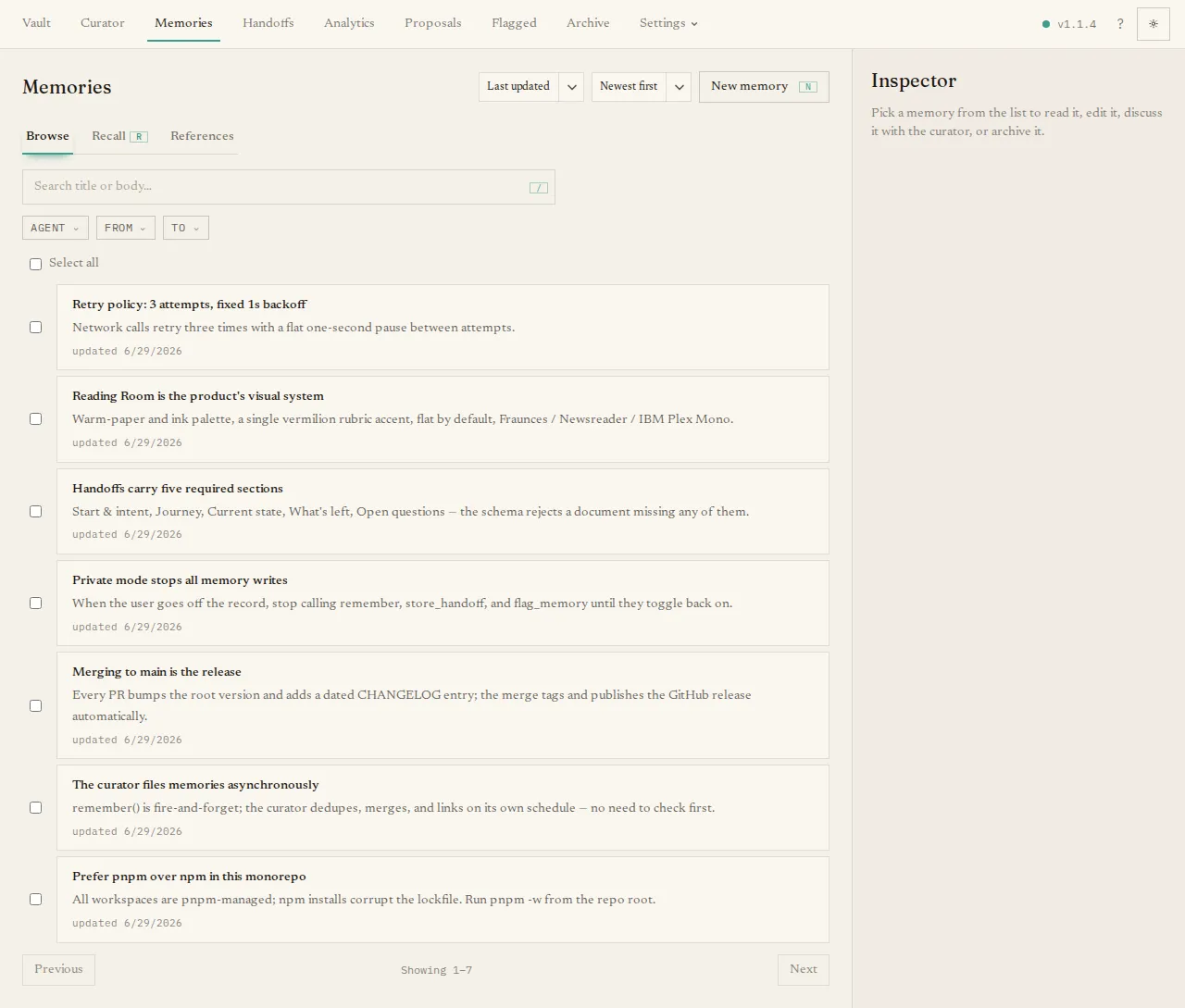
What you’ll see
Section titled “What you’ll see”The page has three tabs:
- Browse — a paginated list of your active memories. Type in the search box to filter by text, and narrow further with the chips for Agent, From date, and To date. When your account can see more than one shelf, a Shelf filter appears too. A sort control orders by created or updated time.
- Recall — runs the same search your agents use. Enter a question, optionally add comma-separated tags and a result limit, and press Recall to see the memories an agent would get back, in the same order. The tab shows each memory whole; an agent gets a long memory (over 1,500 characters) as the part that best matches its question, with a note telling it how to fetch the rest.
- References — searches the long-form reference documents (the big background
files you file here), using the same
search_referencesaction agents use. Add reference puts a new one in: give it a URL to fetch, choose a.mdfile, or paste Markdown. See Working with references.
The main tasks
Section titled “The main tasks”- Create a memory by hand. Press New memory to open an inline form and write one yourself.
- Open a memory. Click any row in Browse to open a detail panel where you can read it, edit it, archive it, change which agent it belongs to, or open a curator chat to discuss this memory. In a multi-shelf library, the row and detail panel show the shelf label (with its stable id available as a tooltip).
- Move between shelves. From the detail panel, an admin can move directly to a visible writable shelf. A member—or an admin choosing a read-only destination—can submit a move proposal instead. Moving preserves the memory’s content and history; it never overwrites an occupied destination.
- Re-home in bulk. Tick several memories and use Re-home to reassign them all to a different agent at once.
If you have no memories yet, the page offers a Write the first memory button.
Keyboard shortcuts help here too: / focuses the search, N opens the new-memory
form, R jumps to the Recall tab, and J / K move through the list.
Where memories come from
Section titled “Where memories come from”Most memories are not typed here — they arrive from your agents, either because someone told an agent to “remember” something or because automatic capture noticed a durable lesson. New arrivals pass through the curator first, so some land as proposals for you to approve before they appear in this list.