Handoffs
A handoff is a written summary of work in progress, packaged up by one agent so
another can pick it up cleanly — even in a different tool. The Handoffs page
lets you read those documents, and delete the ones you no longer need. (Claiming a
handoff is something agents do, with the /takeover command or by asking in plain
language — there is no claim button on this page.)
What you’ll see
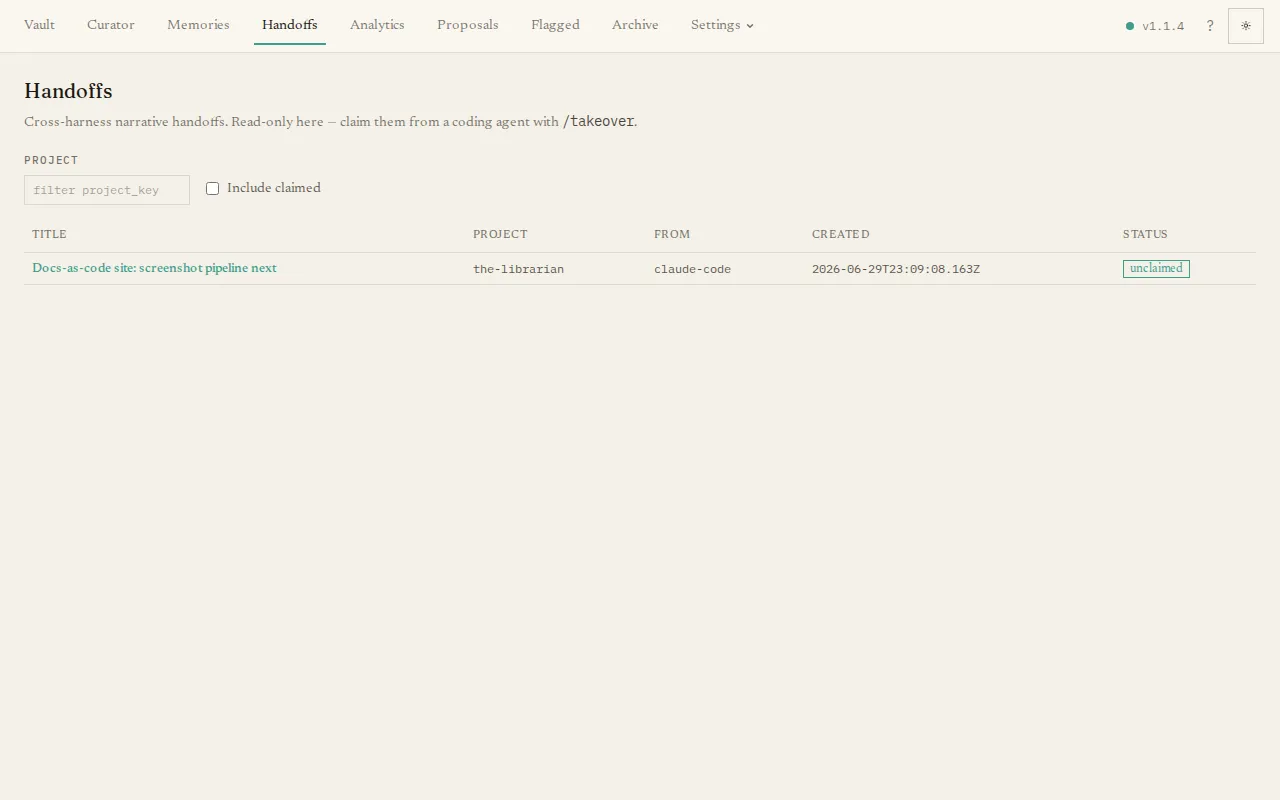
Section titled “What you’ll see”A table of handoffs, showing each one’s title, the project it belongs to, which tool it came from, when it was created, and whether it has been claimed yet. By default the list shows only unclaimed handoffs; tick Include claimed to see all of them. A project filter narrows the list to one project.
Click any title to open the full document. Every handoff follows the same five-part shape — Start & intent, Journey, Current state, What’s left, and Open questions — rendered as readable headings, with a side panel showing details like the handoff’s id, project, author, working directory, and (if claimed) when it was claimed.
Deleting a handoff
Section titled “Deleting a handoff”Each row in the table ends with a delete button, and the detail view has a Delete handoff button in its side panel. Either opens a confirmation dialog that names the handoff: confirming permanently deletes it. The delete works on claimed handoffs too — claiming is not the only way a handoff leaves the list. A deleted handoff can’t be recovered from the app (the deletion is a commit in the vault’s git history, so an operator with access to the vault can recover it from there).
To understand the whole flow — how work is handed off and picked back up — see Handoff & takeover.